Subtitle Characters Look Wrong? Check Text Encoding
Diagnose broken accents and replacement characters in SRT or VTT files. Reopen the source with the correct encoding before converting or shifting timing.
Use this guide with
SRT to VTT Converter
Convert SRT and VTT subtitles, fix timing delays, check overlaps, or extract plain text. Preview and download privately in your browser.
Distinguish an encoding problem from missing captions
If café appears as café, the text may have been decoded with the wrong character encoding. A replacement symbol such as � is another warning sign. This differs from a subtitle file that does not load at all because its timestamps or header are invalid.
Keep the original bytes. Saving already-corrupted text as UTF-8 can preserve the corruption rather than repair it. Start from the earliest available source file and make a separate working copy. A font problem is different again: if the text is correct in an editor but the player shows empty boxes, examine the player’s font support.
Reopen a copy with a known source encoding
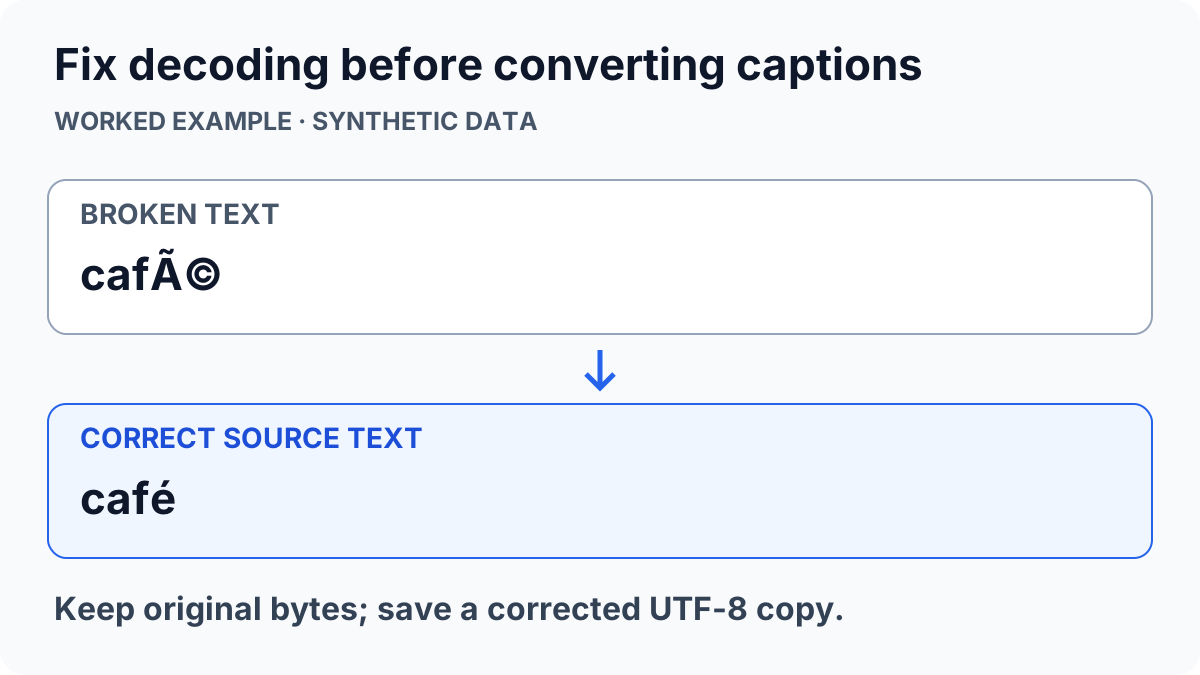
Use a text editor that lets you reopen a file with an explicit encoding. Try the encoding documented by the exporting application and compare actual words in the original language. Do not keep saving after each guess. Once the text displays correctly, save a new UTF-8 copy and leave the source untouched.
Include an accented word, punctuation and any non-Latin script in your test. A file containing only plain English letters may appear correct under several decoders. UTF-8 output is required for WebVTT; see the WebVTT format reference. That does not tell you which encoding an older source SRT originally used.
Keep timing repair separate from text repair
After the decoded text is correct, use the subtitle converter for SRT/VTT conversion or a constant timing offset. Inspect a few cue blocks in the output. A timing shift changes when words appear; it cannot recover missing characters or correct a mistranslation.
If only one subtitle line is broken, compare that line with the source export instead of re-encoding an otherwise correct whole file. For example, the synthetic phrase café — résumé should remain legible after conversion. If those characters turn into unrelated symbols, stop before distributing the converted captions.
Check the file in the player that will use it
Confirm the saved extension and load the UTF-8 copy in the destination player. Review at least one cue with non-ASCII characters and one multiline cue. Player behavior and supported styling vary, so an editor preview is only part of the check.
If replacement characters were permanently written into the only surviving copy, the original letters may no longer be recoverable from that copy. Return to the subtitle author or a fresh source export. For format-specific presentation limits, read SRT versus WebVTT formatting. Avoid uploading private transcript text to unrelated services while troubleshooting.
ToolsWebPro
Practical tool documentationWorkflow examples, tool limitations and links to primary format and platform documentation.
Read full author bio & credentials →Related ToolsWebPro tools
Open the free tool(s) for this guide — no signup required.
Browse all ToolsWebPro tools →More from ToolsWebPro