Convert CSV Decimal Commas to Dots Safely
Change decimal conventions in selected CSV columns while preserving names, identifiers and ambiguous values. Work through a 1.234,56 example.
Use this guide with
CSV Delimiter Converter & Format Fixer
Change a CSV separator and review number or date changes column by column before downloading the result.
Separate decimal notation from column separators
The text 1.234,56 can mean one thousand two hundred thirty-four and fifty-six hundredths in one convention. A comma can also be a CSV field separator. These are separate settings. Replacing every comma in a file can damage columns, addresses and quoted descriptions at the same time.
Ask how the source system writes numbers and how the destination expects them. Do not infer a country or number convention from a user’s IP address. A company in Germany may export dot-decimal software data, and a UK team may receive a comma-decimal spreadsheet.
Reproduce one conversion with known settings
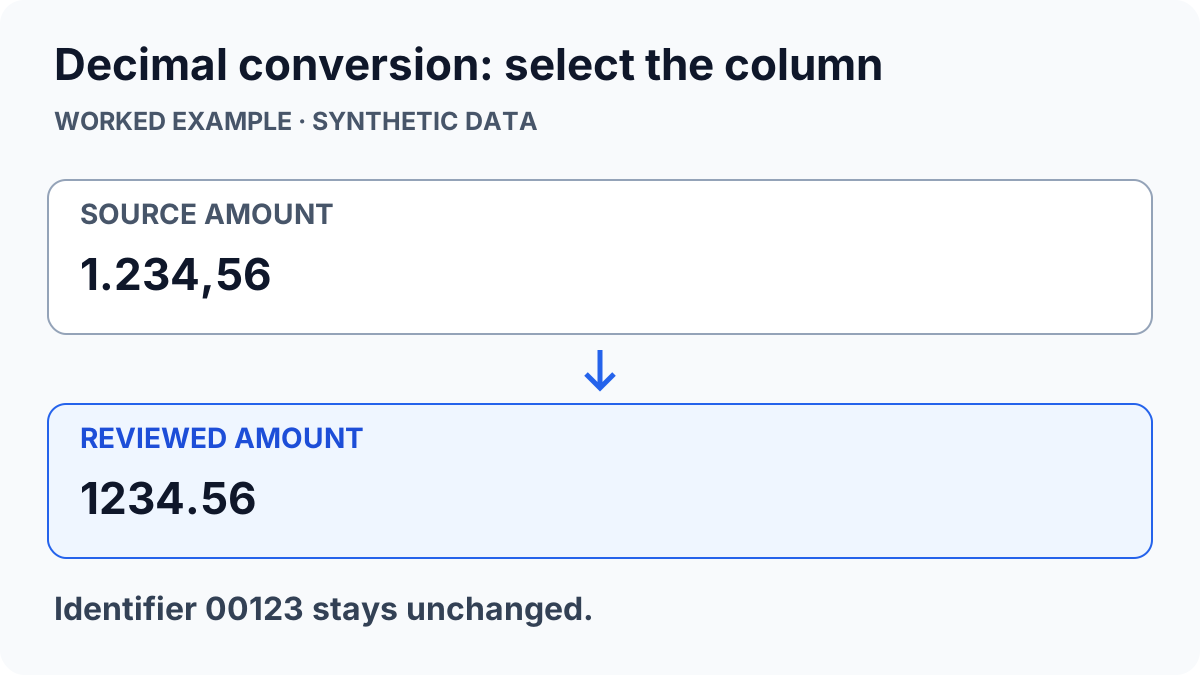
Use a synthetic row such as item;amount;reference followed by Sample;1.234,56;00123. In the CSV format fixer, choose Semicolon as the input separator, comma as the source decimal mark and dot as the source thousands separator. Choose dot as the output decimal mark.
Mark only the amount column as Number. Keep reference as text so 00123 stays an identifier. Build the preview: the intended amount is 1234.56 and the reference is still 00123. If the tool warns that a value is unclear, inspect that value rather than assuming every row follows the first example.
| Field | Source | Reviewed result |
|---|---|---|
| amount | 1.234,56 | 1234.56 |
| reference | 00123 | 00123 |
| description | Text with a comma | Unchanged text |
Avoid silently reinterpreting mixed exports
A column containing both 1,234 and 1.234 without a documented convention is ambiguous. One row may mean a fraction and another may mean a thousands-grouped number. Split known source groups or return to the exporting system; a universal comma-to-dot replacement cannot resolve the intended magnitude.
Microsoft documents how Excel’s delimiter choices and regional separator settings interact in its CSV import and export guidance. Check the actual destination preview rather than changing operating-system settings for everyone who uses the machine.
Validate arithmetic after import, not just appearance
Download a separate cleaned file and explicitly import it in the destination. Test a small total using values you can calculate independently. For example, 1234.56 plus 5.44 should equal 1240.00. A cell that looks numeric may still be text, while a visually tidy value may have the wrong magnitude.
Compare row counts and keep original files so you can reverse a mistaken transformation. The tool changes text representations in selected columns; it does not reconcile accounts, apply exchange rates or establish the correctness of a financial record. For separator problems alone, use the one-column CSV checklist.
ToolsWebPro
Practical tool documentationWorkflow examples, tool limitations and links to primary format and platform documentation.
Read full author bio & credentials →Related ToolsWebPro tools
Open the free tool(s) for this guide — no signup required.
Browse all ToolsWebPro tools →More from ToolsWebPro